Minify Selection
Right-click your selection in the editor and select to have it minified.

The HTML editor has been extended with extra functionality.
Right-click your selection in the editor and select to have it minified.
Right-click one or more .html file in Solution Explorer and click Minify HTML File(s). It will create a *.min.html file and automatically keep it in sync when the source file changes.
Select 2 or more HTML files in Solution Explorer, then right-click and select Create HTML Bundle File.
This feature makes it easy to bundle multiple HTML templates for use in SPA's.
Watch this short demo video and read more about the ZenCoding syntax.
ZenCoding is open source. Find the code on GitHub
As part of ZenCoding, you can now generate Lorem Ipsum code directly in the HTML editor. Simply type lorem and hit TAB and a 30 word Lorem Ipsum text is inserted. Type lorem10 and a 10 word Lorem Ipsum text is inserted.
This can be used in conjuction with ZenCoding like so: ul>li*5>lorem3
As part of ZenCoding, you can also generate Lorem Pixel code directly in the HTML editor. Simply type pix-200x200-animals and hit TAB and a img tag with a 200x200 image of an animal is inserted.
This video will demonstrate more options available with the ZenCoding Lorem Pixel generator:
ZenCoding also support PlaceHold.it if you prefer blank images. Type place-50 and hit TAB to have a 50 pixels square image. Use place-200x100 to insert a rectangular image.
You can choose the background color by adding the hexadecimal value after the size like this place-150x240-EEEDDD. You can even add text to the image by using place-150x240-EEE-t=This%20is%20some%20text.
In the HTML editor, click Shift+Alt+W to surround the selection with a new tag
Collapsable regions
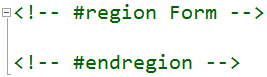
Hit Alt+1 to expand the selection and Alt+2 to contract it.
Hit ENTER and your HTML is automatically formatted with new lines etc.
Hit Shift+F12 when the cursor is located inside a class attribute. Web Essentials will search all CSS, LESS and SASS files for the class name.
Hit F12 when the cursor is located inside a class attribute. Web Essentials will jump to the location inside CSS, LESS and SASS files.
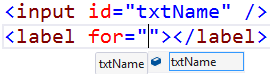
Full Intellisense provided for:
Dynamic Intellisense is where Intellisense is based on other tags and attributes etc.
Any base64 image can be easily converted back to a file on disk.
<script> tags can easily be extracted to a .js file on disk.
Any HTML element containting child elements can easily be removed while keeping the children.
<style> tags can easily be extracted to a .css/.less file on disk.
Any HTML element with a ng-controller attribute has a Smart Tag for generating the .js controller file.
An easy way to minify embedded CSS and JavaScript.
If you're using certain AngularJS specific attributes, but forgot the ng-app attribute, then you'll be notified by this validator.
When working with Facebook/OpenGraph integration, we need to remember to add the prefix attribute to the <head> element.
Zurb Foundation grid system allows you to quickly set a responsive grid design. This validator makes sure you easily have everything at the right place.
columns (or column) class if you define a small-*, medium-* or large-* class, and vice versa. end class. In Twitter Bootstrap you need to chain certain class names. For instance, when using btn-primary you also need to include the btn class name. This validator makes sure you don't forget that. It also checks for the presence of the required Bootstrap row class on a parent element of your column declarations. Read more at getbootstrap.com
This validator also checks for missing dependant class names for FontAwesome.
Validates that the itemtype attribute is a valid absolute URL.